Guide 02
How to Add a Manager to Your Google Business Profile
You can let someone help manage your restaurant without sharing your Google password.
Google's interface may change over time. The wording or position of some buttons may look slightly different on your account.
-
Step 1
Sign in with the restaurant account
Sign in to the Google account that owns or manages your restaurant.
-
Step 2
Search for your restaurant
Search for your restaurant name on Google, then open the matching Business Profile or Maps listing.
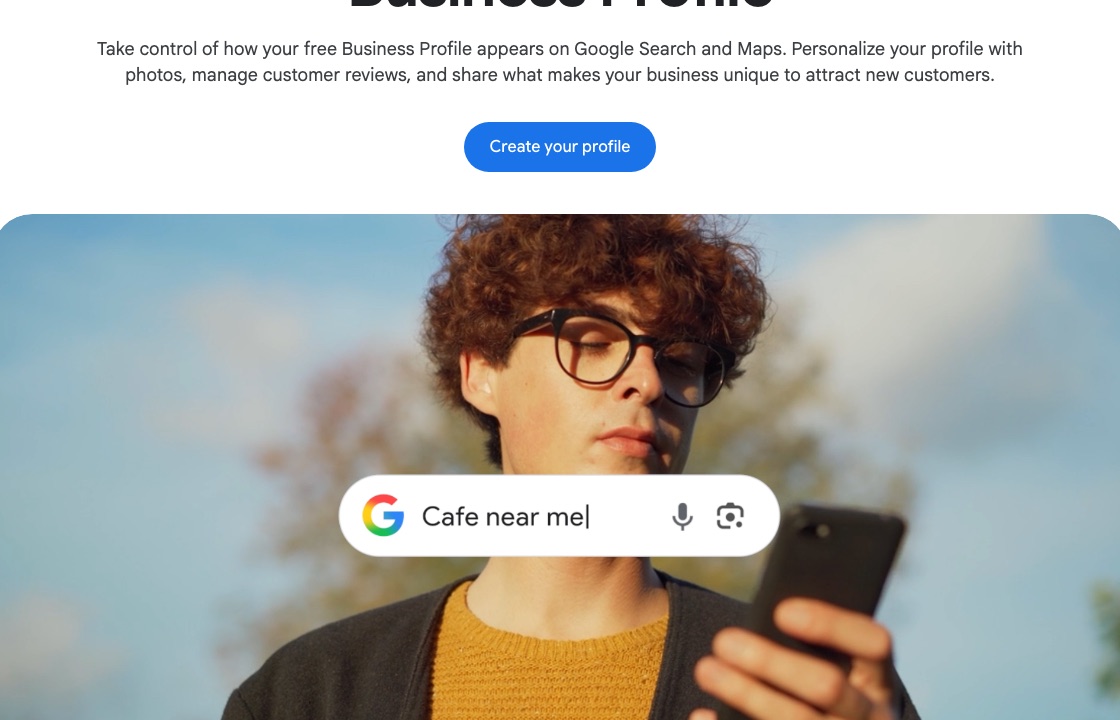
Official Google example Search the restaurant name, then open the matching listing. -
Step 3
Open Business Profile settings
From your Business Profile, open the menu and choose Business Profile settings.
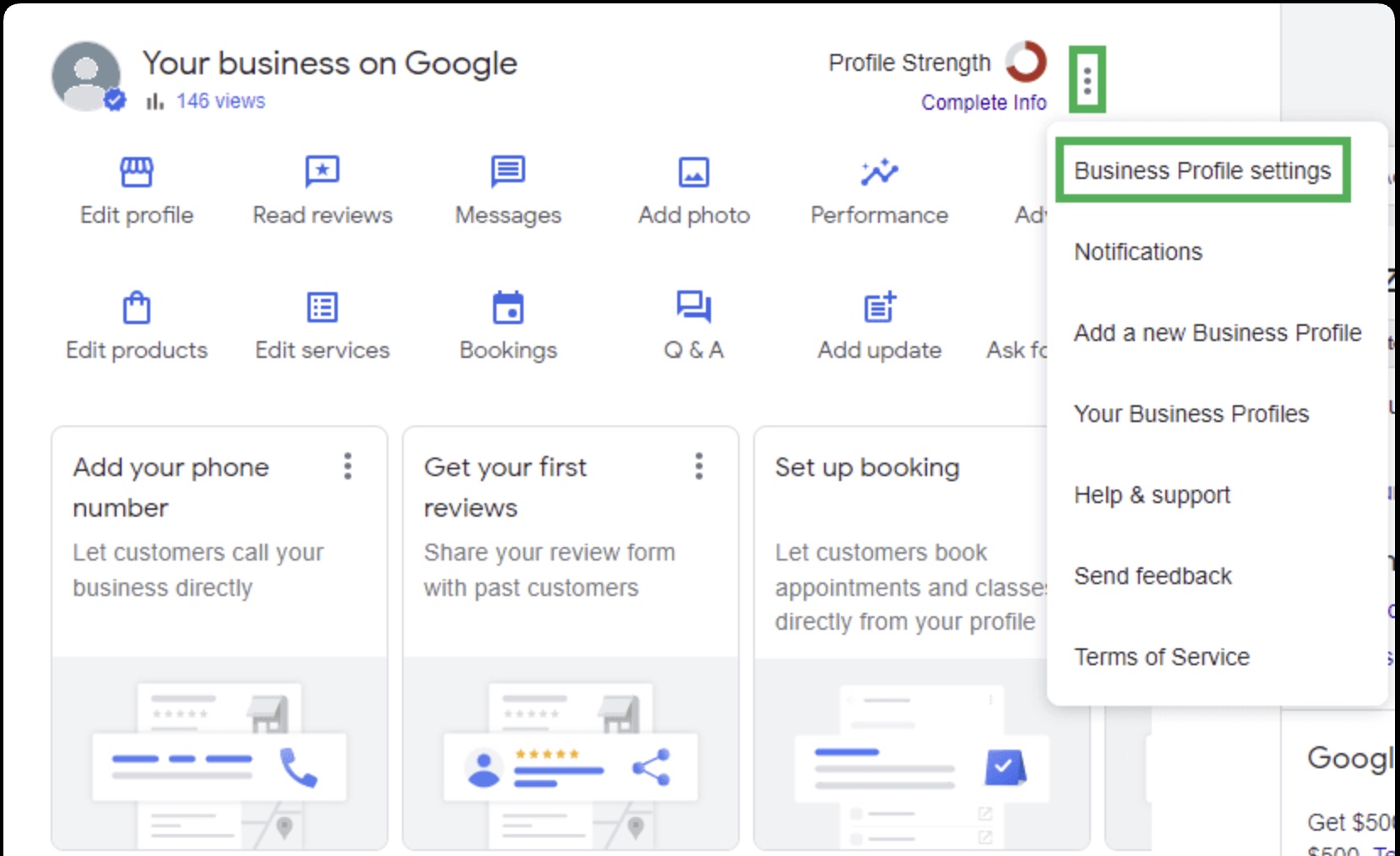
Google Business Profile interface Open Business Profile settings from the menu. -
Step 4
Open People and access
From your Business Profile, open Business Profile settings, then People and access. You are looking for the list of people who can already manage the profile.
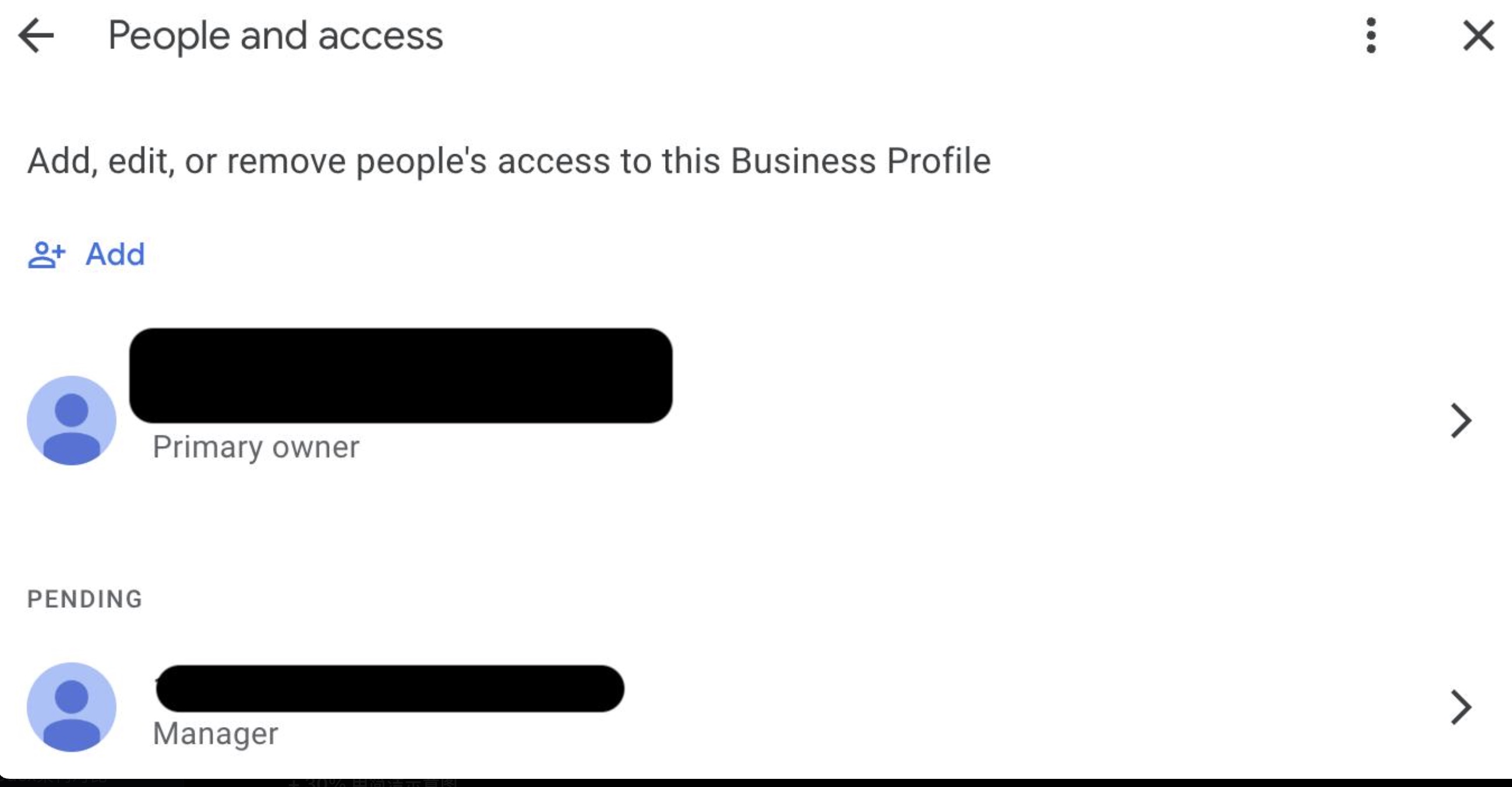
Google Business Profile interface Open People and access, then choose Add. Private names in this example are covered. -
Step 5
Choose Add
Choose Add to invite someone new. Do not share the owner password.
-
Step 6
Enter the person's Google account email
Type the helper's own Google account email. They should accept the invitation with that account, not by signing in as you.
-
Step 7
Select Manager
Choose Manager. Manager access is usually enough for someone helping you update your restaurant information.
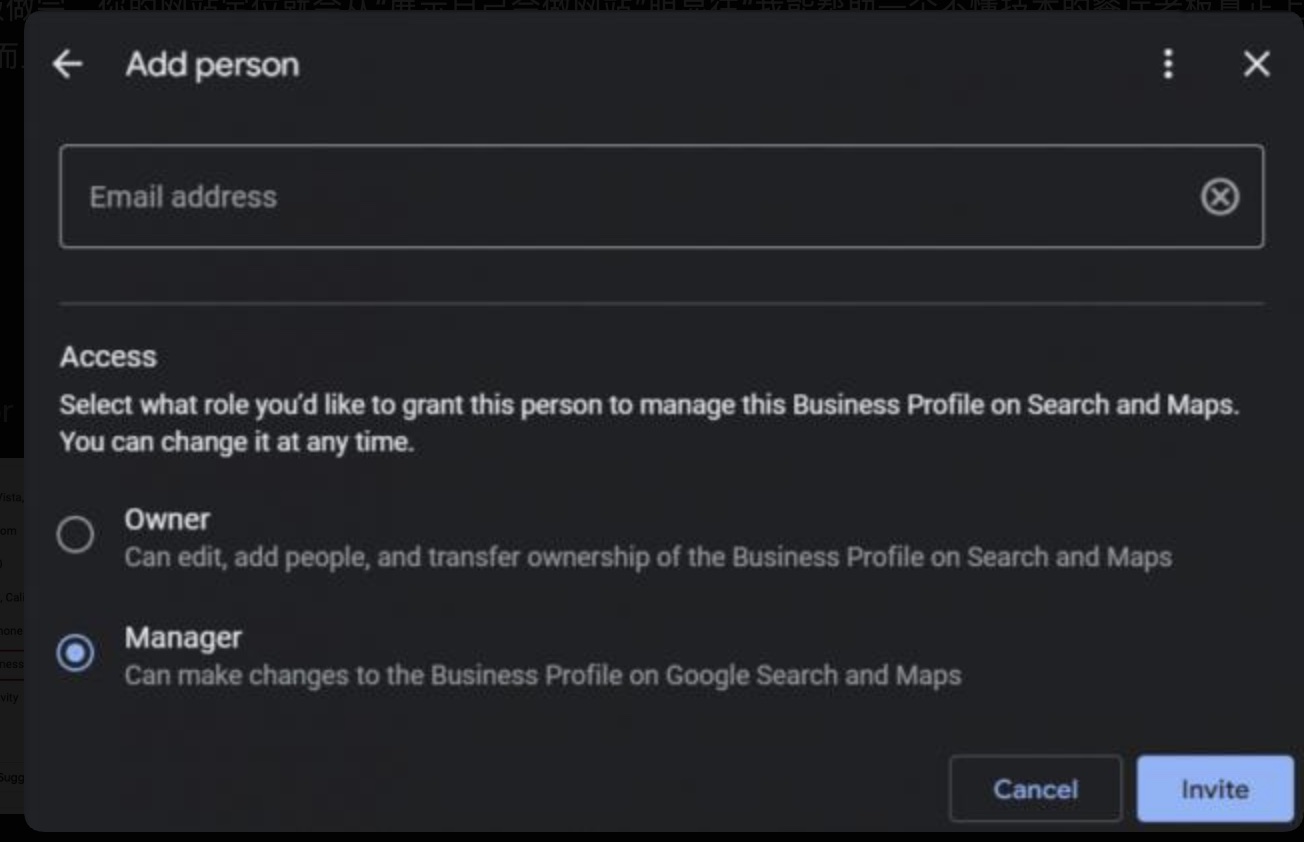
Google Business Profile interface Enter the helper's email, select Manager, then choose Invite. -
Step 8
Choose Invite
Send the invitation. After the person accepts, they can help update the profile. You should still appear as the owner.
Keep the owner account in the restaurant
If someone only needs to help for a short time, a manager invitation is enough. The restaurant should still control the owner login, domain and website.
Add the website and menu Back to all guides
Google and Google Business Profile are trademarks of Google LLC. haohacstudio is an independent studio and is not affiliated with Google.