Guide 01
How to Claim Your Restaurant on Google
Claiming the profile lets you update the restaurant name, hours, photos, website and menu. You should stay the owner of the account.
Google's interface may change over time. The wording or position of some buttons may look slightly different on your account.
-
Step 1
Search for your restaurant
On your phone or computer, search Google for the restaurant name plus the city. Open the Maps result or the Business Profile card that matches your restaurant.
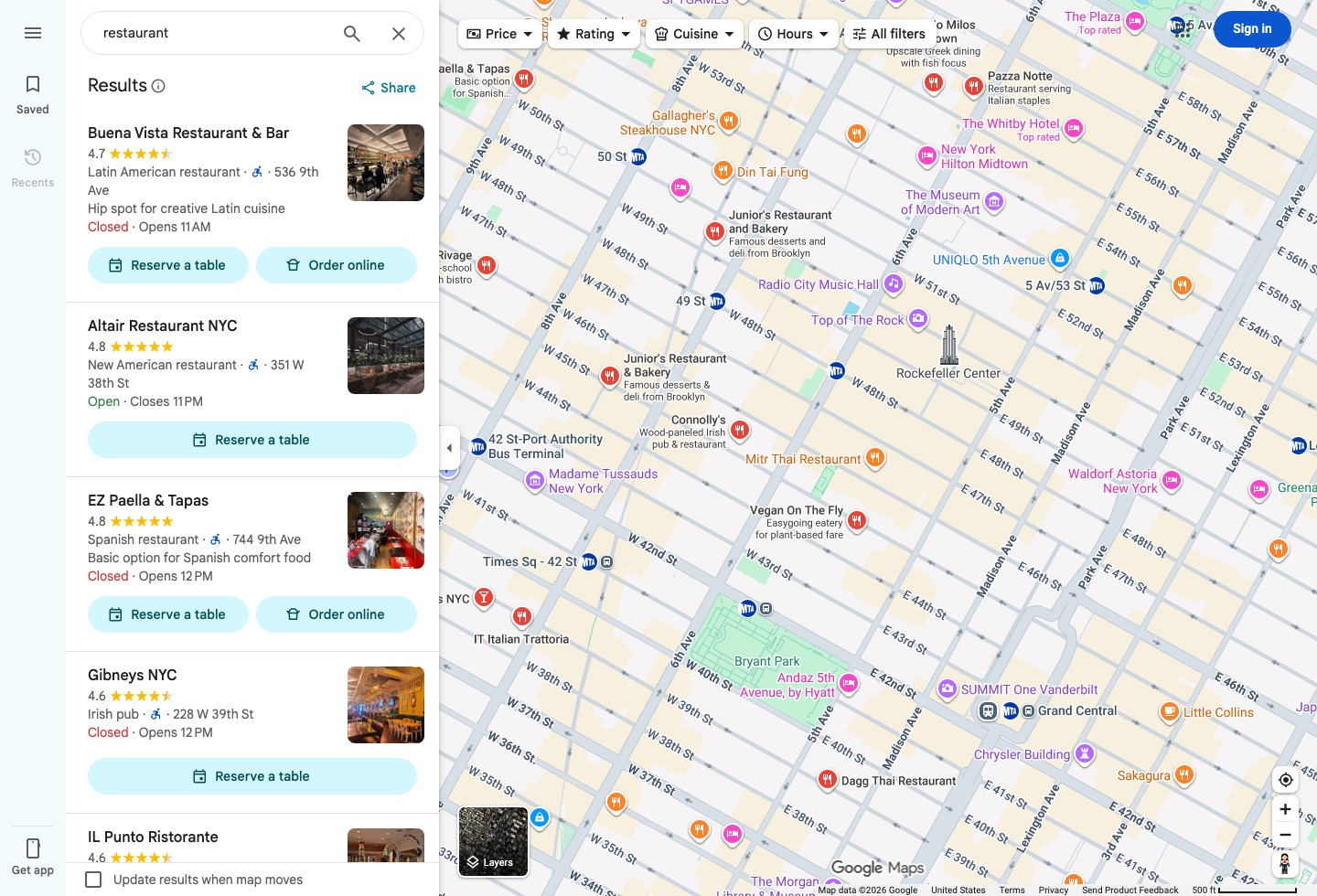
Google Maps interface Find the Google listing that matches your restaurant. -
Step 2
Look for Claim this business
On the listing, look for Claim this business, Own this business, or a similar ownership option. Use the Google account that should remain the restaurant owner, not a staff member's personal login.
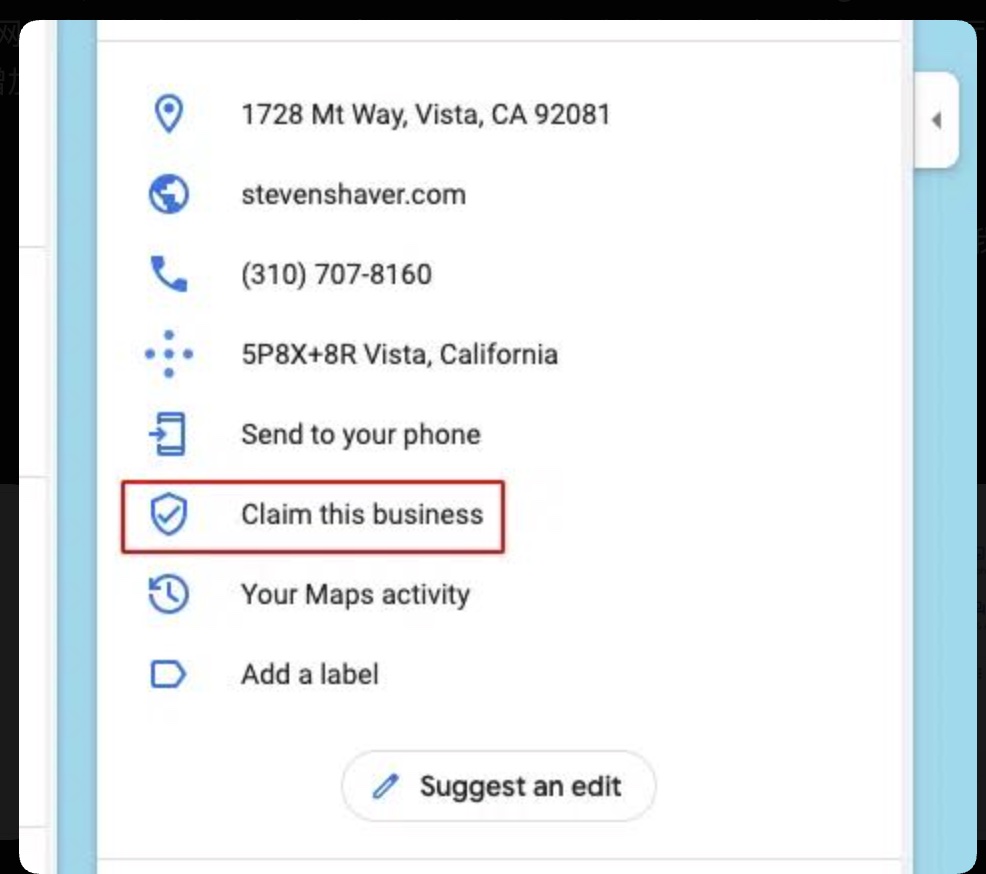
Google Business Profile interface Look for Claim this business. The wording may vary slightly. -
Step 3
Sign in with the restaurant account
Sign in with the Google account you want the restaurant to keep. That account should stay under the restaurant's control after verification. New listings may start from Google's Business Profile page.
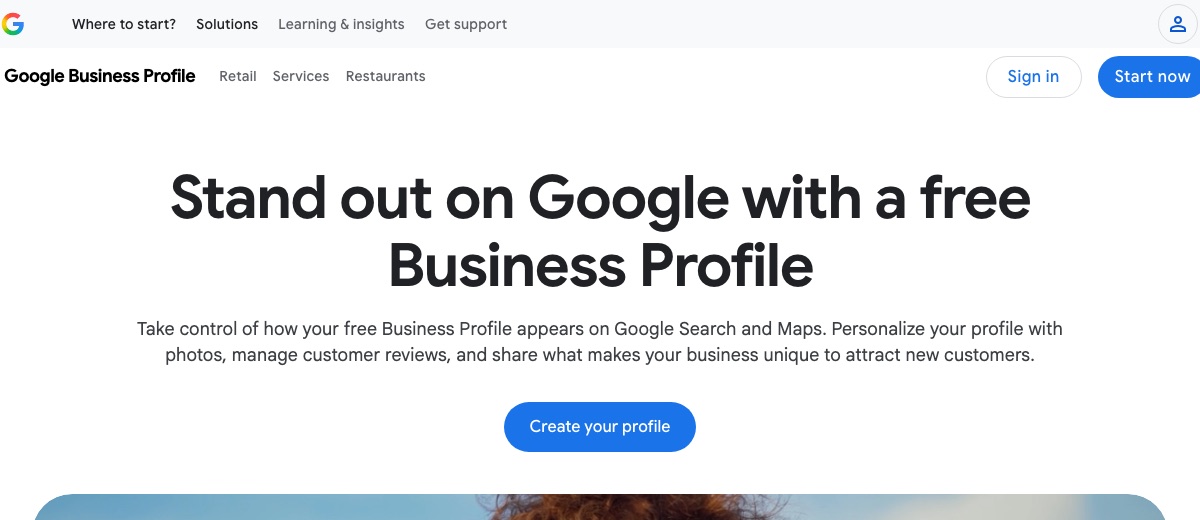
Official Google page Use the restaurant's own Google account to sign in or start the profile. -
Step 4
Follow Google's verification process
Complete the ownership check Google offers for this listing. The available method can vary. Use the restaurant's real address and phone number, and keep the owner account safe until verification finishes.
Illustrated example
What the claim process is for
- Restaurant
- Claim
- Verify ownership
- Manage profile
Google decides which verification methods are available for each business.
After the profile is claimed
Check the restaurant name, address and phone number first. Then add a manager if someone else should help, and connect the website, menu and hours.
Add a manager Back to all guides
Google and Google Business Profile are trademarks of Google LLC. haohacstudio is an independent studio and is not affiliated with Google.